Electric Heating Mouse Pad for Warm Hands & Precise Glide
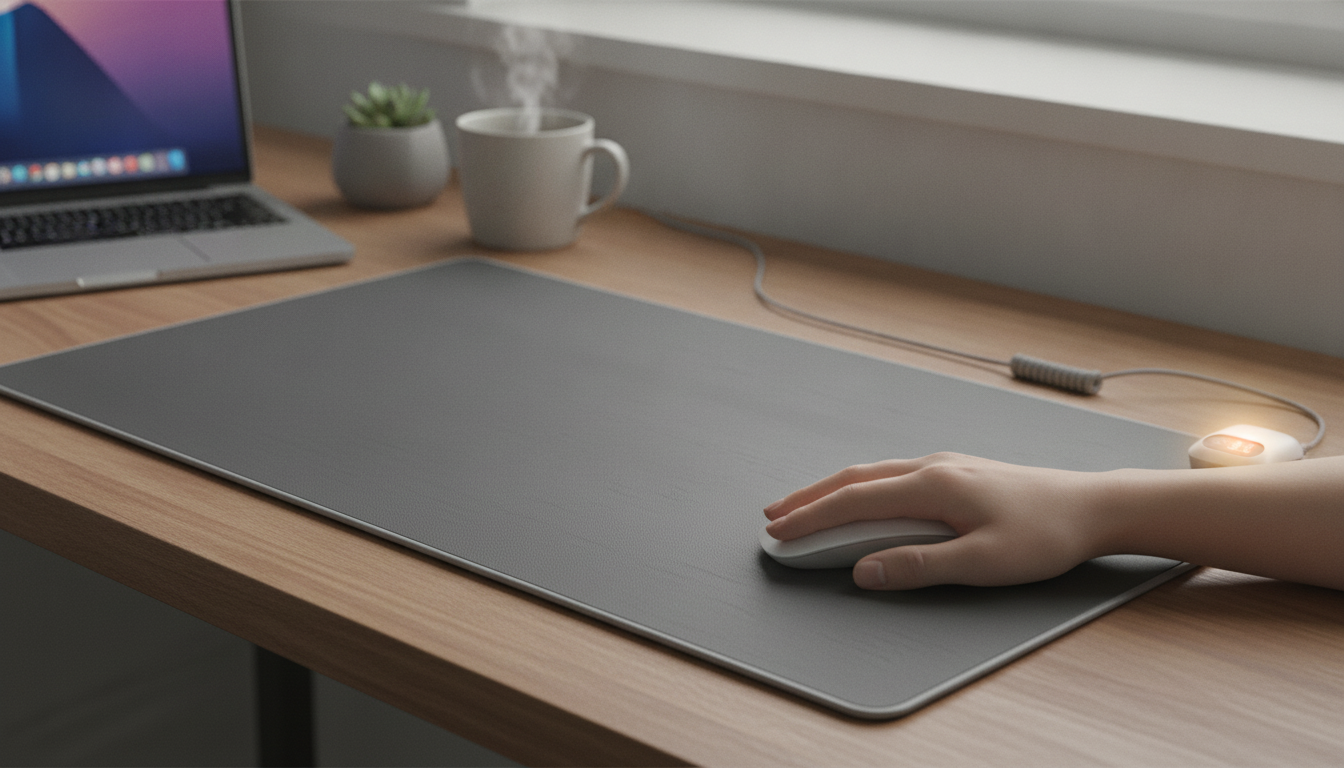
Electric Heating Mouse Pad: Warm Hands, Smooth Tracking, Cozier Desk Days
Cold hands can make computer work uncomfortable and reduce dexterity. An electric heating mouse pad adds gentle warmth under the mouse area to keep fingers comfortable while maintaining a stable surface for precise movement—useful for home offices, gaming setups, and chilly rooms. For anyone who notices a “cold desk” feeling creeping into the wrist and palm, a heated pad can turn long sessions into something far more comfortable without changing how you use your mouse.
What an electric heating mouse pad does
An electric heating mouse pad is designed to provide low, consistent heat beneath the mouse surface, helping keep your working hand warmer during long sessions. Most models combine a mouse-friendly top layer with an internal heating element and a power connection (commonly USB-powered), so it’s easy to plug in at a desk.
The goal is simple: improve comfort in cool environments without relying on bulky gloves, constant hand-warming breaks, or repeatedly reaching for a hot drink. The best versions feel gently warm rather than hot, so your hand stays relaxed while your mouse still glides predictably.
When it makes the biggest difference
- Drafty rooms, basements, and winter months where desk surfaces feel cold to the touch
- People who sit for long periods and notice fingers stiffening during computer use
- Gaming or creative workflows where fine mouse control matters and cold hands become distracting
- Shared spaces where raising the room thermostat isn’t practical
If cold exposure is a broader concern (especially with numbness or color changes in skin), it’s worth knowing the basics of cold-related risk and prevention from an authoritative health resource like Mayo Clinic.
Comfort benefits beyond warmth
Warmth is the headline feature, but comfort tends to show up in a few practical ways during real work and play:
- It helps maintain hand flexibility by reducing the cold surface effect under the wrist and palm.
- It supports steadier mouse movement when the hand isn’t subtly tensing up from chill.
- It can make the workstation feel more inviting, which often helps with focus during long tasks.
- It pairs well with other desk-comfort upgrades like a wrist rest, proper chair height, and regular breaks.
Warmth helps, but ergonomics still matters—especially if you spend hours at a computer. The NIOSH ergonomics guidance is a solid starting point for reducing strain through better setup habits.
Key features to look for
Not all heated mouse pads feel or behave the same. A few features tend to separate “nice idea” from “daily essential”:
- Heat control: Adjustable temperature levels or a single gentle setting, depending on preference.
- Safety features: Overheat protection and auto shut-off (especially helpful if used daily).
- Surface performance: Smooth tracking for optical sensors and consistent glide.
- Base grip: Non-slip backing to prevent shifting during quick movements.
- Size and shape: Enough area for typical mouse travel without forcing awkward wrist angles.
- Power and cord routing: Convenient cable length and an easy way to keep the cord out of the mousing path.
Quick checklist before buying
| Feature | Why it matters | What to confirm |
|---|---|---|
| Heat settings | Comfort and control | Multiple levels or a stable gentle temperature |
| Auto shut-off / protection | Peace of mind during long sessions | Overheat protection and timed shut-off if available |
| Non-slip base | Stable tracking | Rubberized backing or anti-skid material |
| Surface glide | Accuracy and comfort | Smooth top layer compatible with optical mice |
| Pad size | Ergonomics and freedom of movement | Fits desk space and mousing style |
| Power/cord placement | Less clutter, fewer snags | USB power and practical cord length |
Safe everyday use
- Place the pad on a flat, dry surface and keep liquids away from the power connection.
- Start at the lowest heat setting (if adjustable) and increase gradually for comfort.
- Avoid covering the pad with thick fabric that could trap heat unless the product instructions specifically allow it.
- Unplug when not in use, especially overnight or when leaving the desk for extended periods.
- If skin becomes irritated, too warm, or numb, stop use and reassess temperature and session length.
Setup tips for a more ergonomic workstation
Care and maintenance
Common issues and quick fixes
A simple option for colder desks
If the goal is to keep your mouse hand more comfortable during work, study, or gaming—without giving up smooth control—an Electric Heating Mouse Pad is an easy upgrade. It’s a practical desk accessory for anyone who dislikes cold hands but still wants consistent glide and stable tracking.
To check current price and availability, visit Warm up your workspace with the Electric Heating Mouse Pad.
More everyday picks (in stock)
- Genuine Leather Lambskin Crossbody Handbag – Stylish, Soft & Versatile (a streamlined option for errands and commute days)
- Men’s Genuine Leather Belt – Vintage Western Style with Pin Buckle, 1 Inch Wide (a classic accessory that pairs well with casual or workwear)
FAQ
Is an electric heating mouse pad safe to use all day?
It can be, when used with the approved power source and according to the manufacturer’s instructions. For long sessions, a lower heat setting is typically more comfortable, and models with overheat protection or auto shut-off add peace of mind; unplug the pad when you step away for extended periods.
Will heat affect mouse tracking accuracy?
Tracking is usually stable because the top layer is designed for smooth glide and sensor compatibility. If tracking feels off, make sure the pad is lying flat and clean, and avoid using heat levels that feel hotter than gentle warmth.
How warm should a heated mouse pad feel?
It should feel gently warm and comfortable, not hot to the touch. Start low and adjust gradually; if you notice discomfort, redness, irritation, or numbness, stop using it and lower the temperature or shorten sessions.










Leave a comment