Reusable AI Templates Checklist for Emails, Plans & More
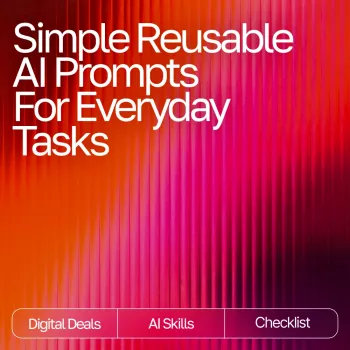
Reusable AI Request Templates for Everyday Tasks: A Simple Productivity Checklist (Digital Download)
Everyday tasks pile up fast—emails, planning, summaries, decisions, and follow-ups. A small set of reusable AI request templates can turn those repeating chores into quick, consistent outputs. This digital download provides a simple checklist-style system designed to be copied, filled in, and reused across common work and home routines—so each request starts with a clear structure instead of a blank page.
What’s Included in the Digital Download
This download is built for repeatability: a compact set of everyday-ready request templates, organized in a checklist format. Instead of reinventing the phrasing each time, you select a task type, fill in a few details, and run it—then refine as needed.
- A compact library of copy-and-paste AI request templates designed for frequent, everyday use
- Checklist format to reduce decision fatigue: pick a task type, fill in a few details, run it, and refine
- Practical coverage for work, personal admin, learning, planning, and communication
- Designed to be reused repeatedly with minimal editing—swap inputs, keep the structure
- Instant access digital format suitable for saving in notes apps, docs, or a clipboard manager
If you want the ready-to-use version, see Simple Reusable AI Request Templates for Everyday Tasks (Digital Download).
Who It’s Best For
- Busy professionals who handle recurring writing, planning, and coordination tasks
- Students and learners who want quick explanations, study plans, and practice questions
- Creators and small business owners who need consistent messaging and fast drafts
- Anyone who wants a simple “fill-the-blanks” approach instead of starting from scratch
- People who prefer a checklist workflow to keep tasks moving without overthinking
How the Checklist Workflow Works
The system is intentionally simple: choose a category, paste the matching template, fill placeholders, add constraints, and run a fast refinement pass. Over time, you’ll naturally save your best variations for your most common situations.
- Choose a task category (email, planning, summarizing, brainstorming, decision support, etc.)
- Paste the matching template into the AI tool of choice
- Replace bracketed placeholders with the specific details for the situation
- Add constraints: tone, length, audience, must-include points, and deadlines
- Review the output, then run a second pass with “improve clarity,” “shorten,” or “make it actionable”
Reusable workflow (quick reference)
| Step | What to provide | Result |
|---|---|---|
| Pick a template | Task type + desired outcome | Clear starting structure |
| Fill placeholders | Context, audience, constraints | More accurate output |
| Generate | One complete request | Draft / plan / summary |
| Refine | Edits + missing details | Polished final version |
| Save variations | Your best versions | Faster reuse next time |
Everyday Use Cases That Benefit Most
Reusable templates shine when the work repeats. The goal isn’t perfection on the first run—it’s getting to a useful draft quickly, consistently, and with fewer missed details.
- Email and messaging: drafting replies, setting boundaries politely, requesting info, following up
- Planning: weekly priorities, meeting agendas, travel and errand batching, realistic schedules
- Summaries: turning long notes into action items, extracting decisions and owners
- Learning support: simplified explanations, practice quizzes, step-by-step walkthroughs
- Decision support: pros/cons tables, risk checks, clarifying questions before committing
- Household admin: shopping lists from meals, checklists for routines, decluttering plans
How to Get Better Results (Small Tweaks That Matter)
Small adjustments to what you provide can dramatically improve the output. The most reliable upgrades are specificity, constraints, and a clear finish line.
- Provide a “definition of done”: what success looks like, and what should be avoided
- Add a target format: bullets, numbered steps, table, short email, long explanation, script
- Include constraints: time available, budget, tools on hand, or word count limits
- Ask for assumptions and questions first when the task is ambiguous
- Request options: “Give 3 versions” or “Provide a conservative, balanced, and bold approach”
- Use a final check: “Scan for missing steps, unclear wording, or unrealistic timing”
For higher-stakes tasks, it also helps to run a “risk and clarity” pass after you get a draft: ask for potential misunderstandings, missing stakeholders, or steps that could cause delays.
Privacy and Safe Use Tips
Templates make it easier to move quickly—but good habits keep you safe, especially when requests touch work, finances, or personal information.
- Avoid sharing sensitive personal data (account numbers, full addresses, private health details) when it’s not necessary
- Replace names with placeholders when drafting messages that contain confidential info
- Double-check factual claims, dates, and policies—especially for legal, medical, or financial topics
- Treat generated text as a draft: verify tone, accuracy, and any actions it recommends
- Keep a personal “safe context” version of templates for work vs. home to reduce oversharing
For additional guidance on responsible AI use and risk management, see the NIST AI Risk Management Framework (AI RMF 1.0), the OECD AI Principles, and the FTC guidance on AI and truthful advertising.
Digital Download Details
Related Picks (In Stock)
- Simple Reusable AI Prompts for Everyday Tasks | Productivity Checklist | Simple Reusable Prompts for Common Tasks | Digital Download (Instant access, low-cost system for repeatable requests)
- Genuine Leather Lambskin Crossbody Handbag – Stylish, Soft & Versatile (A practical everyday carry option for keeping essentials organized on the go)
FAQ
Will these templates work with any AI chat tool?
Yes. They’re plain-text requests you can paste into most AI chat interfaces. Output quality can vary by tool, and adding clear context and constraints typically improves results.
How much customization is needed to use them daily?
Very little. The structure stays the same—most days you’ll only replace a few placeholders (goal, audience, constraints) and optionally save a couple personalized versions for your most common scenarios.
Is it safe to use for work messages and planning?
It can be, as long as you avoid confidential details, use placeholders for sensitive info, and follow company policies. Treat the result as a draft and review for accuracy, tone, and any recommended actions before sending or relying on it.









Leave a comment